You check world clocks before every call. You run countdowns for deadlines and set alarms in three different time zones. You are, by any measure, a precision-time person. So why do so many planners just like you keep a folded sheet of paper on their desk every single week? It is not nostalgia. There is a specific cognitive reason a printed week-view does something no app, no widget, and no digital calendar can fully replicate. Once you understand it, the paper sheet stops looking like a throwback and starts looking like a tool you have been missing.
Key Takeaway:
1. A printed week-view gives time a spatial shape your brain can scan in one look, something screens break into fragments.
2. Stepping away from a device to plan on paper removes the notification pull that constantly disrupts deep thinking.
3. Analog and digital planning are not rivals — each handles what the other handles poorly, and using both makes you sharper.
Your Brain Reads Time Like a Map
Think about the last time you genuinely knew, at a gut level, what your week looked like. Not in a list-of-tasks sense. In a shape sense. Monday through Sunday laid out in front of you, dense here, open there, a cluster of calls on Wednesday, a breathing gap on Thursday afternoon.
That spatial awareness is not a luxury. Cognitive scientists have long established that humans process spatial information through a dedicated memory system that handles layout and position very efficiently. When you can see your week spread across a two-dimensional grid, your brain treats it the way it treats a map. The days become landmarks. The gaps become territory you can navigate.
Research on working memory shows that the brain's visuospatial sketchpad, the part responsible for holding spatial layouts in mind, is a separate channel from the verbal and numerical processing we use when we read a list. A week on paper activates that spatial channel. A scrolling list of events in a phone app does not.
That is the first reason precision-time people keep reaching for paper.
The Fragmentation Problem With Digital Calendars
Digital calendars are excellent at individual tasks. They send reminders. They sync across devices. They handle invites and attach video links without you lifting a finger.
But they break the week into pieces.
Open your calendar app right now. What do you see? Probably today, or a three-day slice, or a month of tiny dots. To get the week-as-a-whole view, you tap or click into a specific mode. And even then, the week view on a phone screen is narrow, abbreviated, and interrupted before you finish reading it.
More importantly, you are looking at it on the same device that just buzzed with a message, a news alert, and a low-battery warning. The device itself is an interruption machine. Asking it to be a focus tool is asking a lot.
Time management research consistently finds that interruptions do not just cost the moment they happen. They cost the minutes of re-focus time that follow. Every notification you see while reviewing your schedule nudges you out of planning mode and into reactive mode.
Paper does not buzz.
Where Time-Zone Thinking Gets Complicated
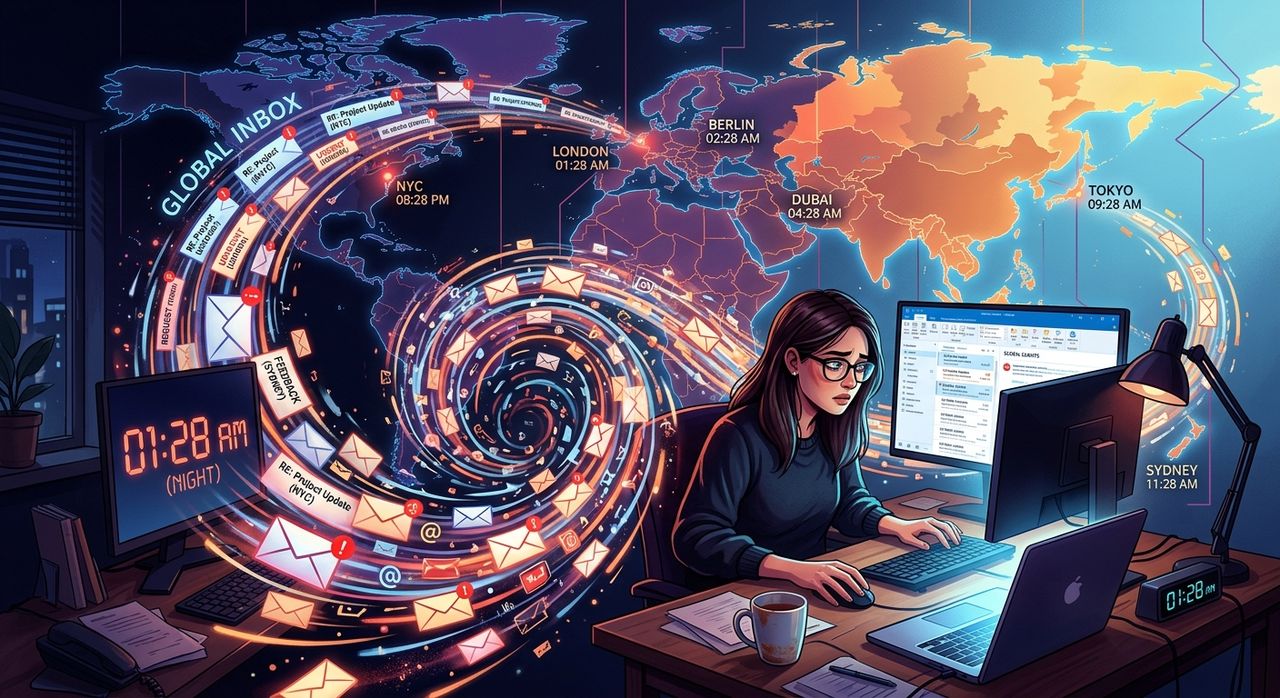
If you are the kind of person who monitors clocks across continents, your week is not made of hours. It is made of windows. The window when your Singapore team is online. The window when the New York office overlaps with London. The two-hour slot on Tuesday that works across four time zones simultaneously.
Mapping those windows digitally is possible, but it is fiddly. You are moving between apps, checking time-zone converters, flipping back to your calendar. And every flip is a chance for your browser or phone to drag your attention somewhere else.
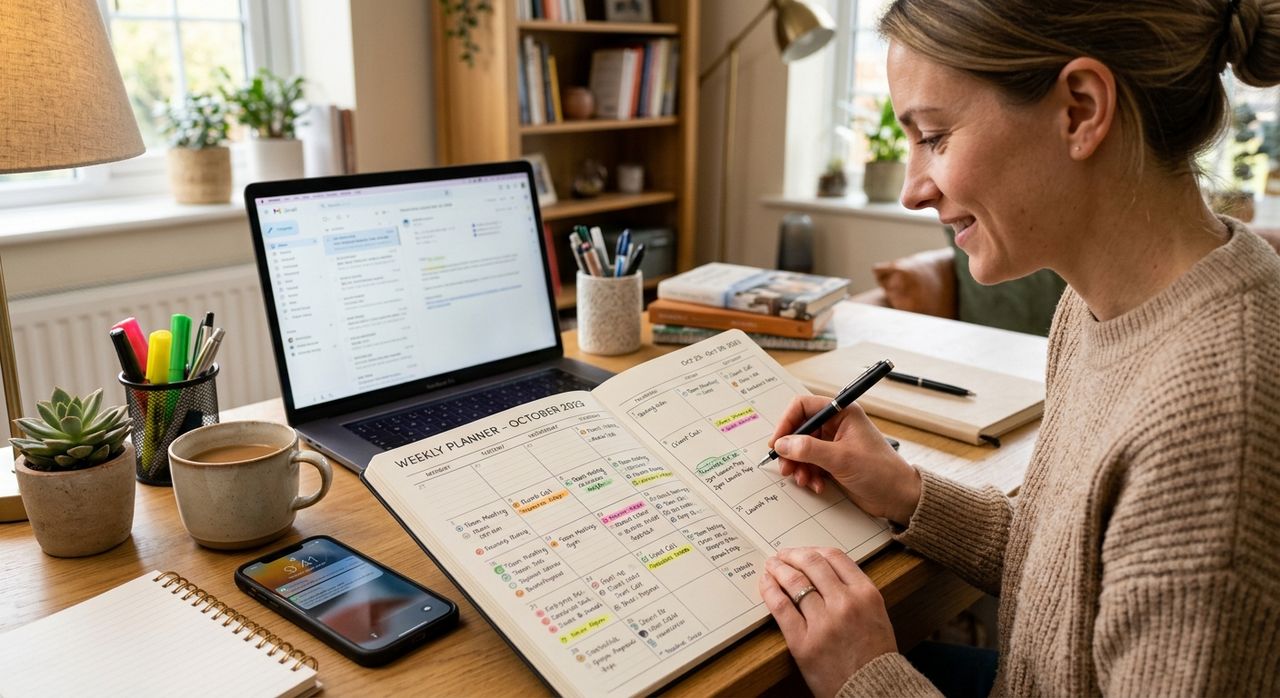
This is where a printed weekly planner becomes genuinely powerful. Print a clean grid, label the rows with the hours that matter in your day, then block out each team's available window with a highlighter. Block your deep-work slots next to them in a different color. The whole picture sits in front of you without a single click, notification, or battery bar creeping into your peripheral vision.
You can see, at a glance, that Wednesday at 10am local is the only slot where three time zones overlap without anyone losing their evening. That is the meeting window. Book it once and move on. The grid does not care what time zone it is in. You bring that knowledge. The paper just holds it.
What Paper Is Actually Bad At
This is important: printing a weekly calendar is not a replacement for your digital tools. It is a complement. Here is what paper genuinely cannot do:
- Send you a reminder 15 minutes before a cross-timezone call
- Auto-populate a video link when your colleague books time
- Sync instantly when a meeting moves
- Store two years of past weeks searchably in your pocket
- Alert you when two events collide while scheduling
Your phone, your calendar app, your world-clock widget — these handle all of that better than paper ever will. The goal is not to abandon them. The goal is to use each tool for the job it is actually good at.
Digital tools manage events. Paper gives events context.
The Weekly Review Ritual That Sharpens Everything
Many highly productive people build a short weekly review into their Sunday evening or Monday morning. Fifteen minutes, maybe twenty. They look at what happened last week and lay out what matters this week.
The key word is lay out. That phrase is almost always literal. They put something physical in front of them.
The act of writing, or even of arranging blocks on a grid, forces a kind of commitment that clicking a calendar entry does not quite match. You decide, deliberately, that Tuesday morning is for focused writing and Thursday is for calls. You draw a box around it. That physical act cements the intention in a way that a digital drag-and-drop never quite replicates.
It also takes you off the screen for a few minutes, which is exactly when you tend to think most clearly about priorities.
The Format That Actually Works
Not all printed formats work equally well for this. A monthly grid makes weeks invisible. A daily page kills the spatial overview. The format that gives you the most value is the landscape week-view: seven columns, time slots running down the left, enough space to write in a few words per block.
That format lets you see patterns your digital calendar hides. You notice that you have scheduled four calls on the same day for three weeks running and wonder why you feel drained on Thursdays. You see that your deep-work time keeps migrating to the end of the week, which is when your energy is lowest. You spot the collision before it becomes a problem.
None of that pattern recognition happens inside an app. It happens when you step back and look at the shape of things.
The Clock People Who Trust the Grid
The people most likely to benefit from a printed weekly view are, counterintuitively, the most digital-native time-watchers. If you track countdowns to the minute, run timers across projects, and care about the difference between 9am and 9:30am, you already understand that time has texture. Not all hours are the same.
A printed week makes that texture visible. It turns your time from a list of appointments into a landscape you can read. That is not a retreat from precision. It is precision applied to the whole week instead of just the next hour.
When the Paper Week Meets the Digital Clock
The practical integration looks like this. Your digital calendar holds the ground truth: every confirmed meeting, every synced invite, every timezone-aware reminder. Your phone handles the alerts.
Once a week, you print a clean grid and transfer what matters: the meeting windows, the deep-work blocks, the cross-timezone slots you identified with color-coding. You keep it on your desk. You glance at it when you start the day instead of opening your phone. The phone still runs. The alarms still fire. The countdowns still count. The paper just gives the week a shape that all those digital tools, for all their power, have never quite managed to provide.
The Planner on Your Desk Is a Thinking Tool, Not a Relic
Paper planning and digital time tools grew up in different eras, but they have always solved different problems. The calendar app is a logistics engine. The printed week-view is a thinking space.
The planners who understand that distinction use both without apology. They check their world clocks and set their alarms and run their countdowns, and then they sit down with a clean grid and think about the week as a whole.
That is not a contradiction. That is the full toolkit.