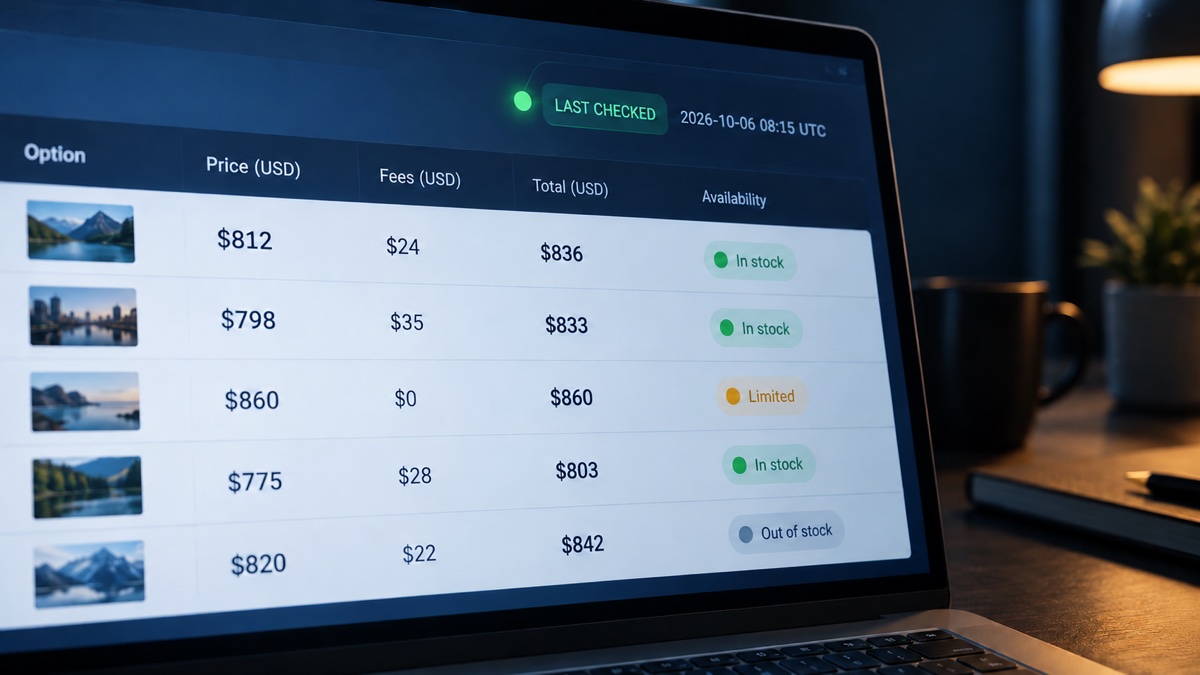
A comparison page can carry up to three dates, and only one of them tells you whether the figures in the table are still true. “Published” is the day the page went live. “Updated” is the last time someone changed what the page says. “Last checked” is the last time someone verified each listed price, fee, or condition against its original source and confirmed it still matched.
Those events can sit months apart. A comparison is mostly a list of other companies’ terms, and those companies change them on their own schedule without telling the page that lists them. So a table can read as current while the offer ended a long time ago.
“Updated” Is the Easiest Date to Fake
An updated date is only as honest as the person, or the script, that sets it, and the evidence on that is not flattering.
A recent freshness audit compared 370 page-one Google results with their archived copies. Of the 89 pages claiming an update within the previous year, 41 had changed nothing except the date. That is 46%. Another 13 made cosmetic edits, and only 35 had been revised in a meaningful way. Health pages did worst, with seven of nine update claims turning out to be a new date on old text.
Not all of this is done on purpose. Often it is just the way the site was set up. Many sites put a fresh date on every page whenever new code goes live, so even a tiny design tweak can make the whole site look like it was updated today. Nothing a reader cares about has actually changed, though. If you have added new data or replaced old statistics, you have actually updated the page. If all that changed is the date, you have not.
My own view is that an updated date with no note about what changed deserves about as much trust as no date at all.
Why Comparison Tables Go Stale While the URL Stays the Same
A news article describes a day and what has already happened, so it stays accurate. A comparison table, on the other hand, describes terms that are still in force, so the information might start drifting the moment it is published. Site owners need to keep an eye on their comparisons at all times because any product they promote can become outdated.
A visible review date matters most when a page compares services whose terms can change without the URL changing. On Kasinoranking.com, for example, a Finnish casino comparison site, operator licences, bonus terms, and payment options are all time-sensitive details. Readers need to know when that information was last verified instead of assuming every listed condition still applies.
This applies to other categories too. Changes that commonly happen with no visible sign on a comparison page include:
- An introductory price that has ended
- A fee that now appears at checkout
- A payment method the provider has dropped
- A licence or registration that has moved to a different regulator
- Stock that sold out last week
None of those changes touch the comparison page itself. That is why visitors need to verify the information themselves when a site does not show when its claims were last checked. Stale details can harm the site and its reputation.
What an Honest “Last Checked” Label Looks Like
A checked label earns trust when it is specific about what it covers, readable as a real point in time, and consistent with the page’s code. You can test each of those yourself. A real last-checked label tells you the scope (price and availability), the source (the retailer’s site), and the method (automated or manual).
Relative stamps such as “3 hours ago” suit deals that move hourly. For slower categories, a full date works better, and a time zone helps more than people expect. A check logged at 9 a.m. on a Tuesday in Sydney happened while it was still Monday in New York. Sites with an international audience can remove that ambiguity by logging checks in UTC and displaying the reader’s local time.
A trustworthy site uses the same date in the page’s structured data (dateModified), in a visible stamp near the byline, and in the Open Graph modified time. When the visible date and the code disagree, somebody has stopped maintaining one of them.
How to Test a Comparison Page in Two Minutes
You do not need any special tools. Use this checklist for every review site:
- Find the date and read its label. “Updated” and “checked” are different claims.
- Open several entries on the same site. If every one carries exactly the same day, the dates may have been refreshed in bulk.
- Pick one row and compare it with the provider’s own website. The price, the main condition, and the payment methods should match.
- Click two outbound links. Broken pages and outdated redirects usually mean nobody has checked the page or its offers recently.
How old is too old? There is no universal number, and anyone who gives you one is guessing. My rough rule is that the faster a provider can change a term, the fresher the check has to be. A flash-sale price checked yesterday is already old, while a licence status checked last month is probably fine.